

OshonSoft AI Language Model Lab
HOMEPAGE
Explore how a language model learns, one step at a time.
OshonSoft AI Language Model Lab is an interactive neural network simulator for exploring how small language models learn and generate text. Prepare text, train a model and follow the calculations that turn a short context into a prediction. Then ask it a question or start a passage and examine how it chooses each word or symbol. The controls, numerical tables and live diagrams bring the whole learning process within reach, from the first training example to a saved model you can explore.
Begin with the supplied guided lessons, which lead you through complete examples in the application, or build a project from your own text and conversations. Work with an MLP or a Decoder Transformer, compare their predictions and watch learning change the model's parameters. You can pause the simulation after a single training update, inspect the gradients and return to the same calculation as often as you need.
The Lab runs locally on your CPU as a native Windows x64 application, with no additional runtime dependencies. Everything you inspect comes from the model you are working with: its tokens, context, probabilities, attention values and parameter updates.
GUIDED EXAMPLES AND SCREENSHOTS
USER MANUAL - all fields and commands
Licenses and pricing
On this page:
Getting started - Main features - Learning examples
Look inside the model - Projects and recovery
Requirements - Questions - Screenshots
Getting started
Open Guided Getting Started, choose a lesson and use Execute step to work at your own pace. Read what the next action will do, then see it performed in the application. Run automatically follows the lesson for you. Guides explain model setup, text preparation, training, measurement and trying new inputs.
To try saved weights immediately, load an example checkpoint and open Conversation or Text continuation. To create your own model, choose dimensions, prepare TRAIN text, initialize parameters and train. The User Manual explains each route.
Explore the guided examples and screenshots: follow model setup, one prediction and update, saved runs, MLP and Transformer Live View, and the learning timelines.
OshonSoft AI Language Model Lab main features:
- Native Windows x64 graphical application; local CPU training and generation,
- MLP with embeddings, concatenated context, tanh, softmax, cross-entropy, explicit backpropagation and plain SGD,
- Decoder Transformer with causal multi-head attention, learned positions, normalization, residual connections and feed-forward layers,
- Model presets and custom dimensions, parameter counts and separately labelled memory estimates,
- Narrative TXT and USER/MODEL conversations in one training project,
- TRAIN/VALIDATION source assignment, source families and duplicate/split checks,
- Words and punctuation with separate digit tokens and join markers,
- Frozen TRAIN vocabulary, stable control tokens and visible unknown-token counts,
- Explicit answer/narrative learning targets or full document streams,
- Source-balanced scheduling or deterministic global shuffled epochs,
- One-update training, pause/resume and Fast training with reduced display overhead,
- Conversation and text continuation with Greedy or Seeded sampling,
- Raw model probabilities, sampling probabilities, rolling context and stop reasons,
- Complete checkpoints, saved run plans and recovery at the original update target,
- Controlled projects with saved full answers at chosen update counts,
- Fixed-weight evaluation, a unigram reference and explicit speed benchmarks,
- Guided lessons, learning documents and a detailed User Manual.
Learn by training and testing
The examples include narrative continuation, dialogue, mixed sources, 16-bit inversion, AND, copy and XOR, and elementary arithmetic. The bit lessons make the process easy to see: train on examples, watch the measured answers improve, then try another input in Conversation. The XOR lesson also shows why the starting embedding range can matter.
Use a Controlled project to compare the same question sets before learning and at chosen checkpoints. Saved records keep the prompt, expected Gold answer and complete Raw model reply, including control tokens. Check exact whole replies and their stopping, rather than judging progress from loss alone.
Each example teaches and measures a bounded task. Correct replies at a trained length do not establish correct replies at arbitrary lengths. This is an educational laboratory for small models; the quality of a new task depends on its data, representation, model and training settings.
Look inside the model
Forward inspection follows the actual context into embeddings, hidden values, logits and probabilities. Loss and gradients shows analytic derivatives without changing weights. The Training table records the parameter before an update, its gradient, the stored value afterward and the rounded change.
Model Live View follows real successful updates. MLP diagrams show learning changes or signal contributions; One SGD Step retains one update through eight phases. The Transformer view follows attention scores, weights and signed value contributions. A Learning Timeline tracks selected parameters and signals across observed updates.
The main Transformer inspection page lets you browse blocks, heads, query positions, intermediate arrays, gradients and the last SGD trace. You can distinguish what is stored in learned weights from the input-dependent activations calculated for a particular context.
Projects, checkpoints and recovery
An .osai checkpoint saves model parameters, dimensions, vocabulary, embedded training material, initialization choice and learning position. Controlled training adds update/time limits, periodic validation, best checkpoints and snapshots. Controlled project adds saved question replies in readable run folders.
Pause and save a run, close the application and recover from run.json, paused. Resume the remaining original target. Complete run folders retain settings, inputs, checkpoints and results so you can inspect what happened.
Research projects
Follow three completed studies with saved model replies, learning curves, measured results and the material needed to repeat the work.
Bracket Logic - learn to track nested brackets and locate the first error.
Three-Digit Addition - compare small MLPs and Transformers, carry traces and repeated runs.
Translation Patterns - compare direct translation with learned intermediate steps and optional adjectives.
Requirements and package
Windows 10 or later, 64-bit, and a writable folder for your projects and results. Training uses the CPU; a GPU, Python and an online AI account are not required. Memory and speed depend on the chosen model dimensions. Start with a supplied small preset and read the memory estimates before applying a larger configuration.
The Windows installer includes the application, examples, guided lessons and PDF learning material. The native Windows x64 application has no additional runtime dependencies.
Frequently asked questions
Does it use an online language model?
No. The Lab trains and generates with its own local model. It does not send your training text to an online AI service.
Can I use my own text?
Yes. Import UTF-8 narrative TXT and structured USER/MODEL conversations. Choose TRAIN and VALIDATION deliberately and review the vocabulary and context.
Does the whole visible conversation enter every prediction?
Each prediction uses the most recent C tokens. The full transcript can remain visible while earlier tokens have left the numerical context.
Do I need to understand neural-network mathematics first?
You can begin with guided examples. The included AI Course explains the calculations, and the inspectors let you connect those explanations with real values.
Where is the complete control reference?
In the unified User Manual, including Controlled project and Model Live View. Read it online or download the PDF manual.
Screenshots
Conversation: model replies, turn stopping and next-token probabilities.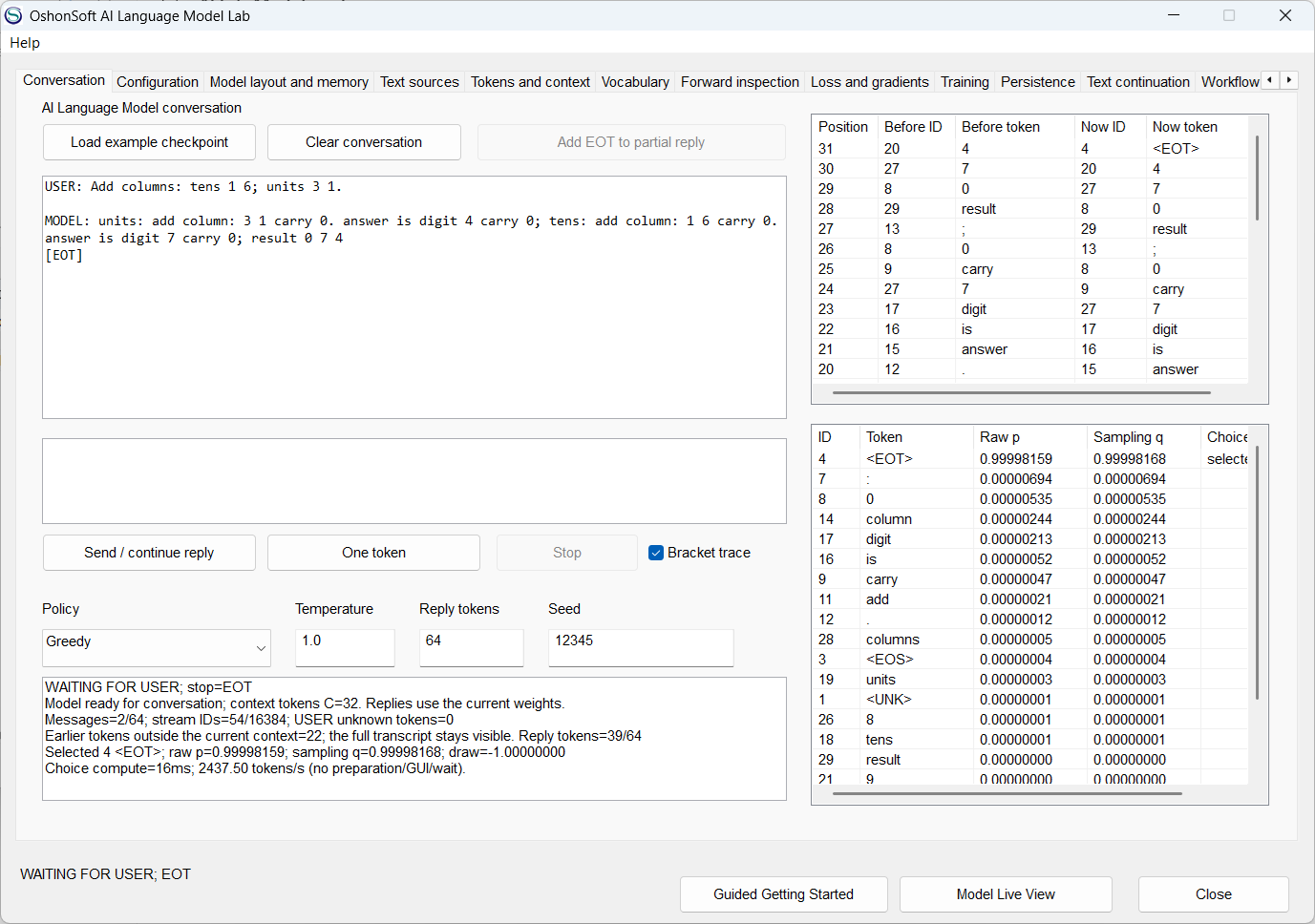
Guided Getting Started: choose a lesson and follow its steps.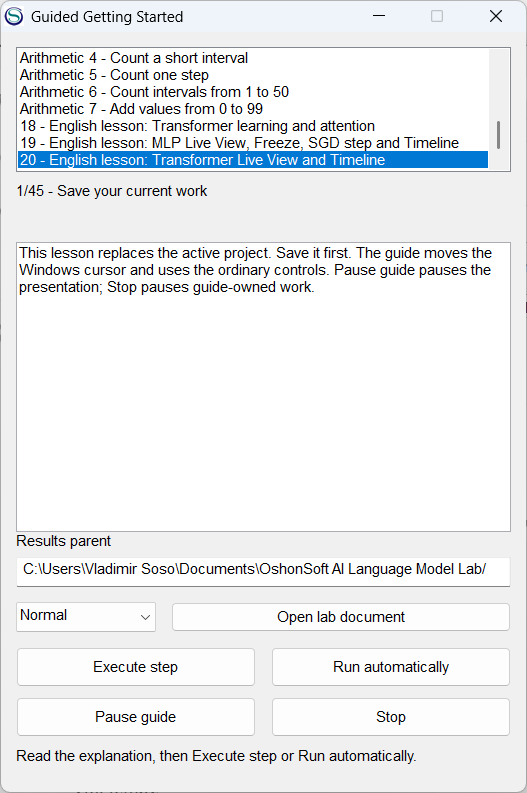
Configuration: choose dimensions, architecture and MLP initialization, then apply explicitly.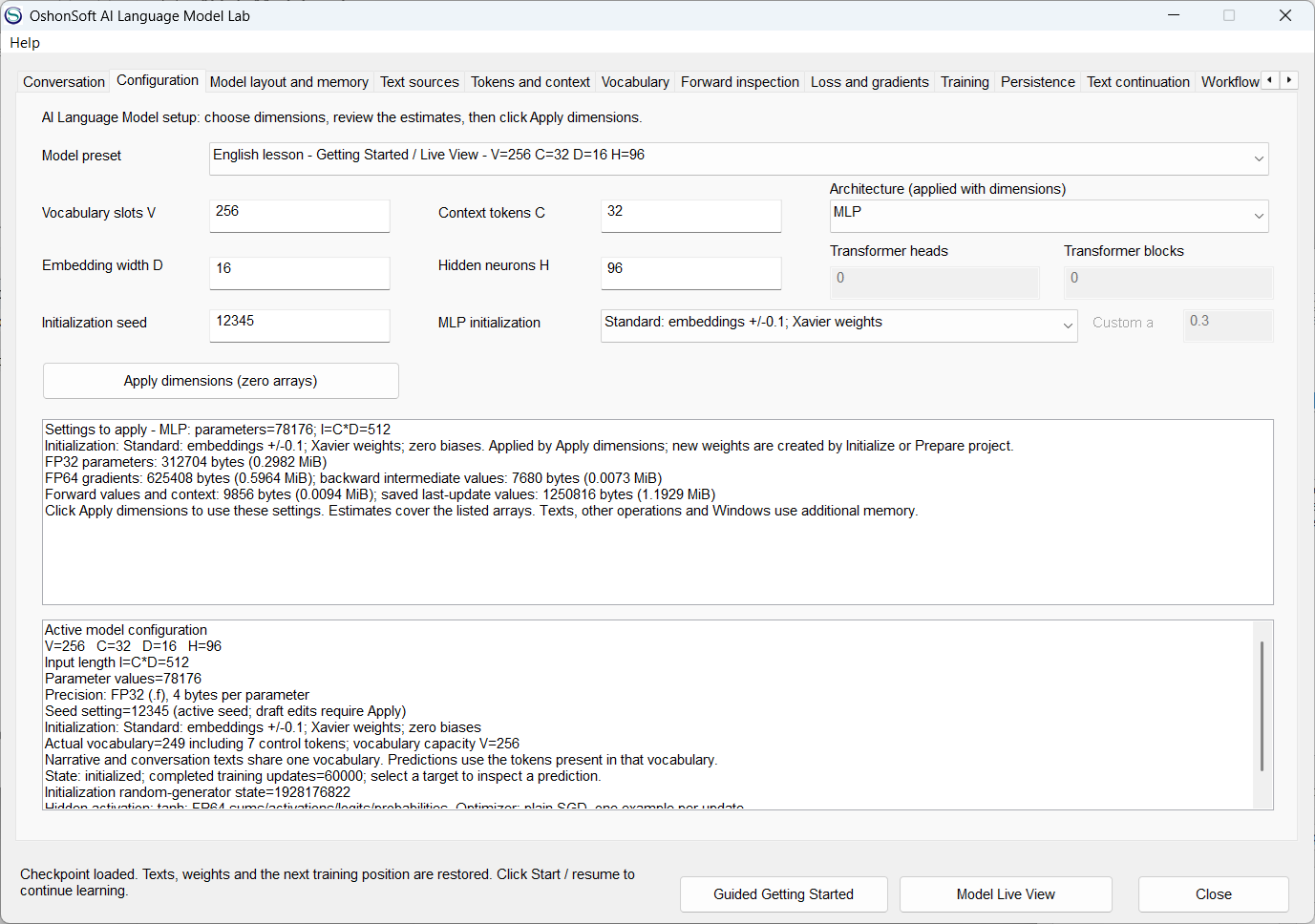
Model layout and memory: active parameter groups, array shapes and separate memory figures.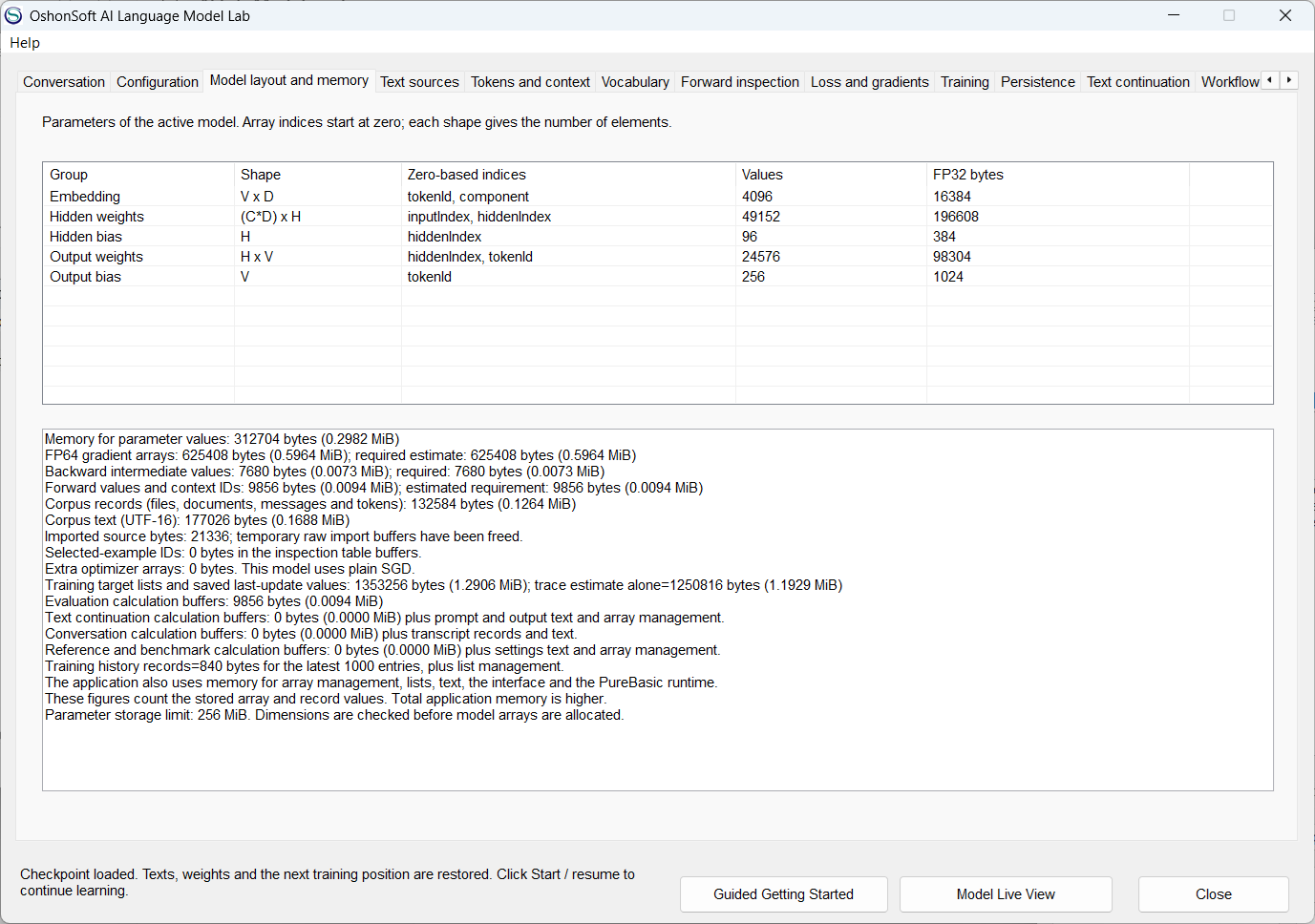
Text sources: prepare TRAIN and VALIDATION files with an explicit parser and tokenizer.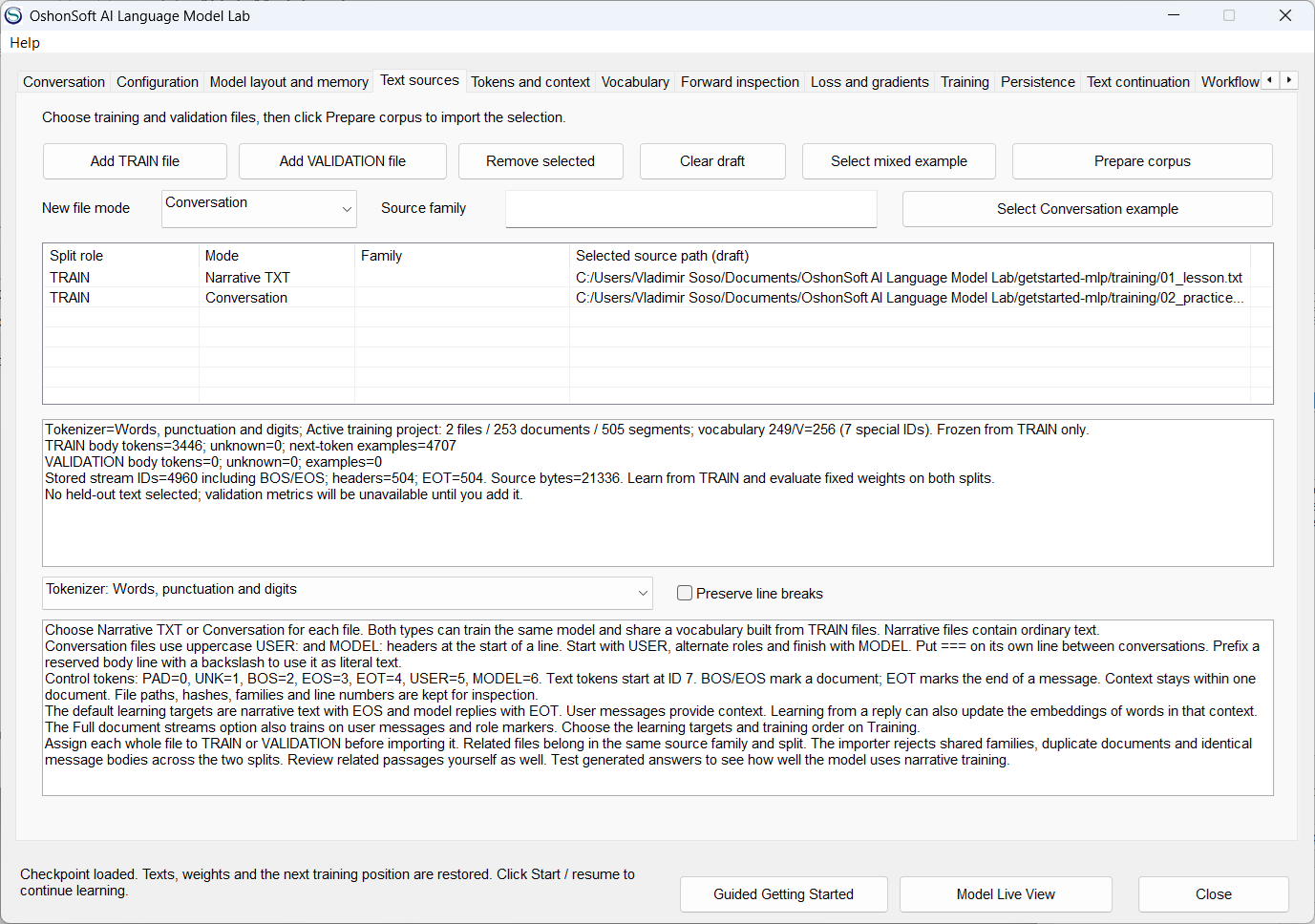
Tokens and context: inspect a selected target and its preceding context, displayed newest first with original position labels.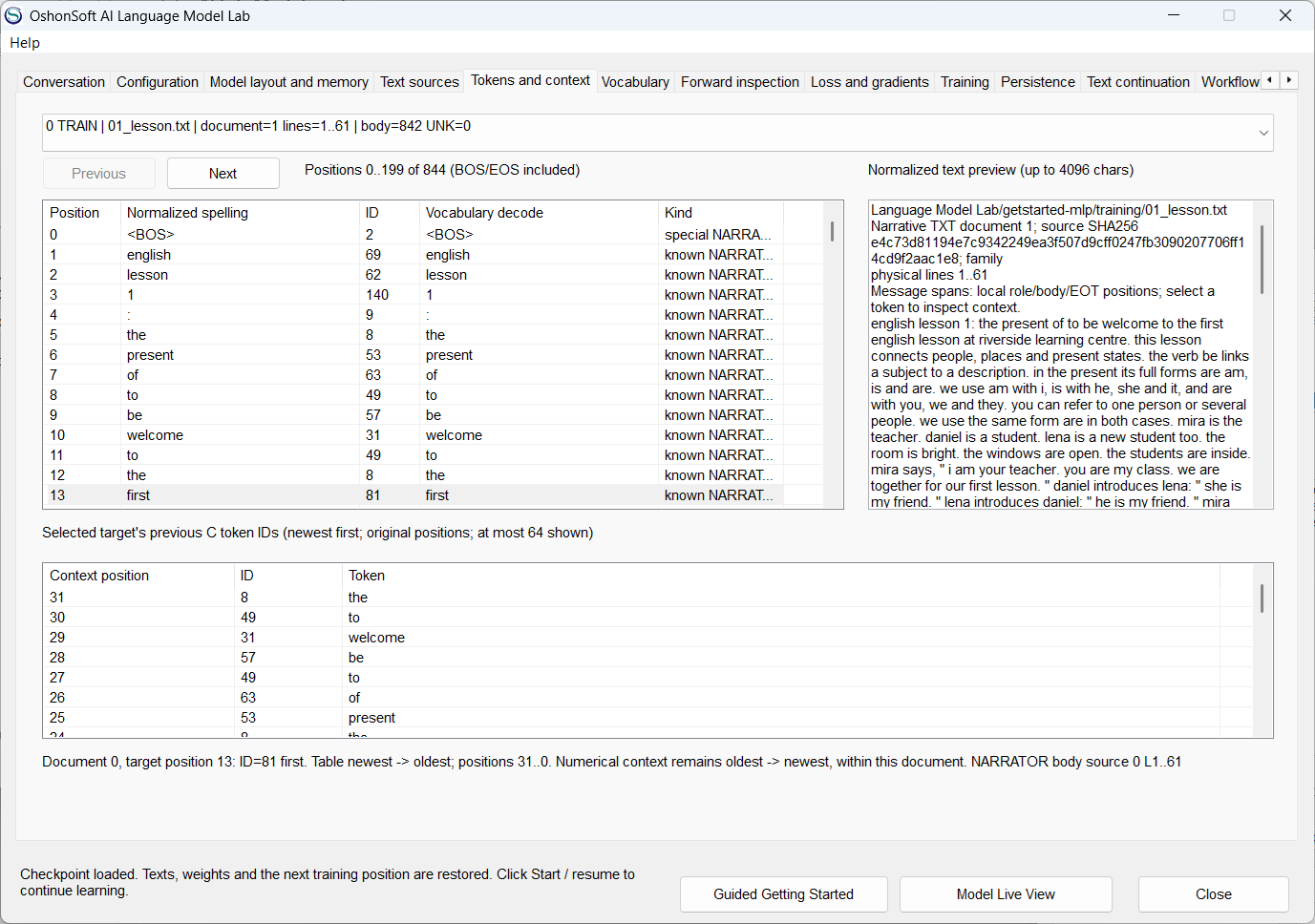
Vocabulary: frozen token IDs and TRAIN occurrences, including the seven control tokens.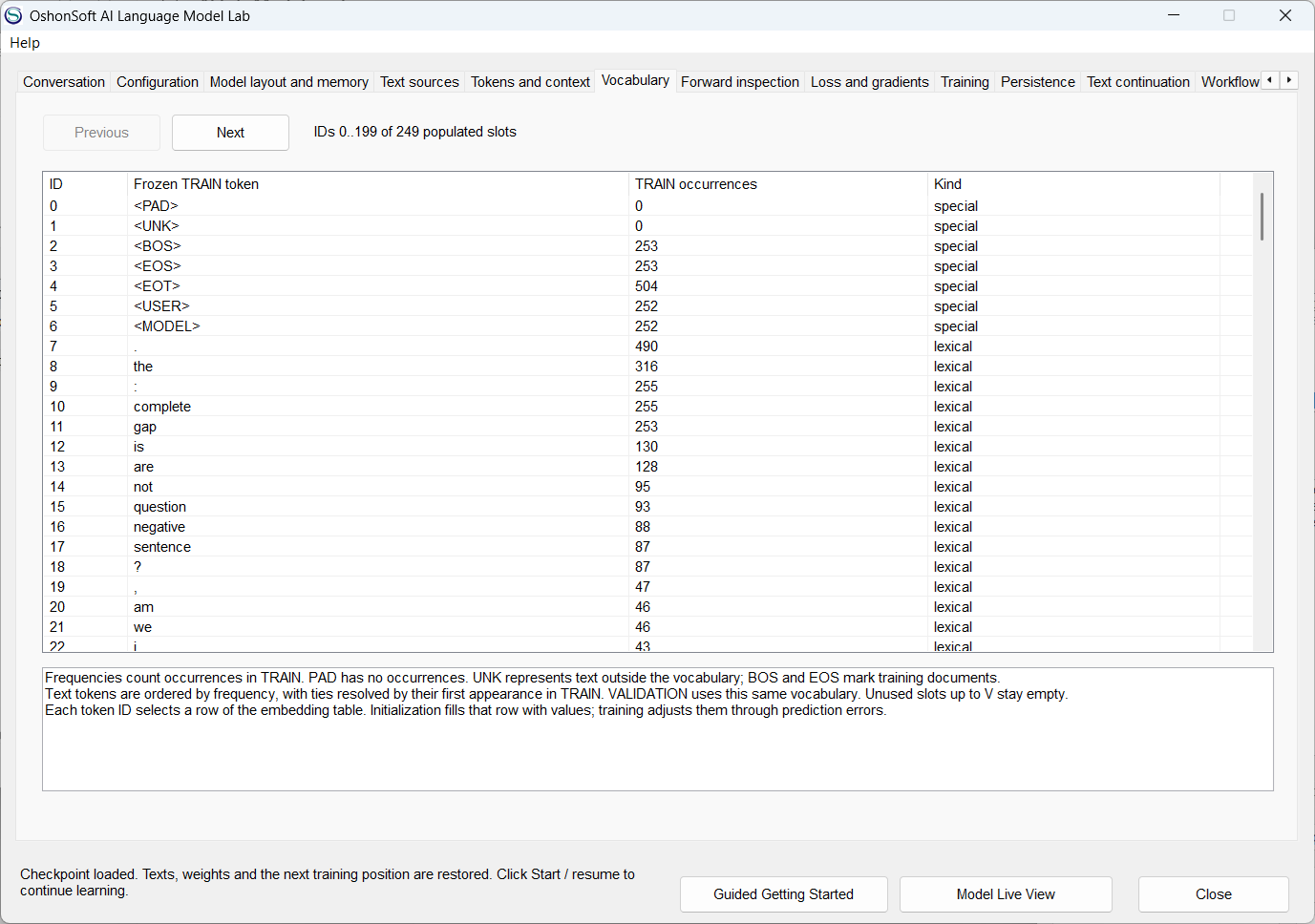
Training: the last atomic SGD update, stored parameter changes and epoch loss.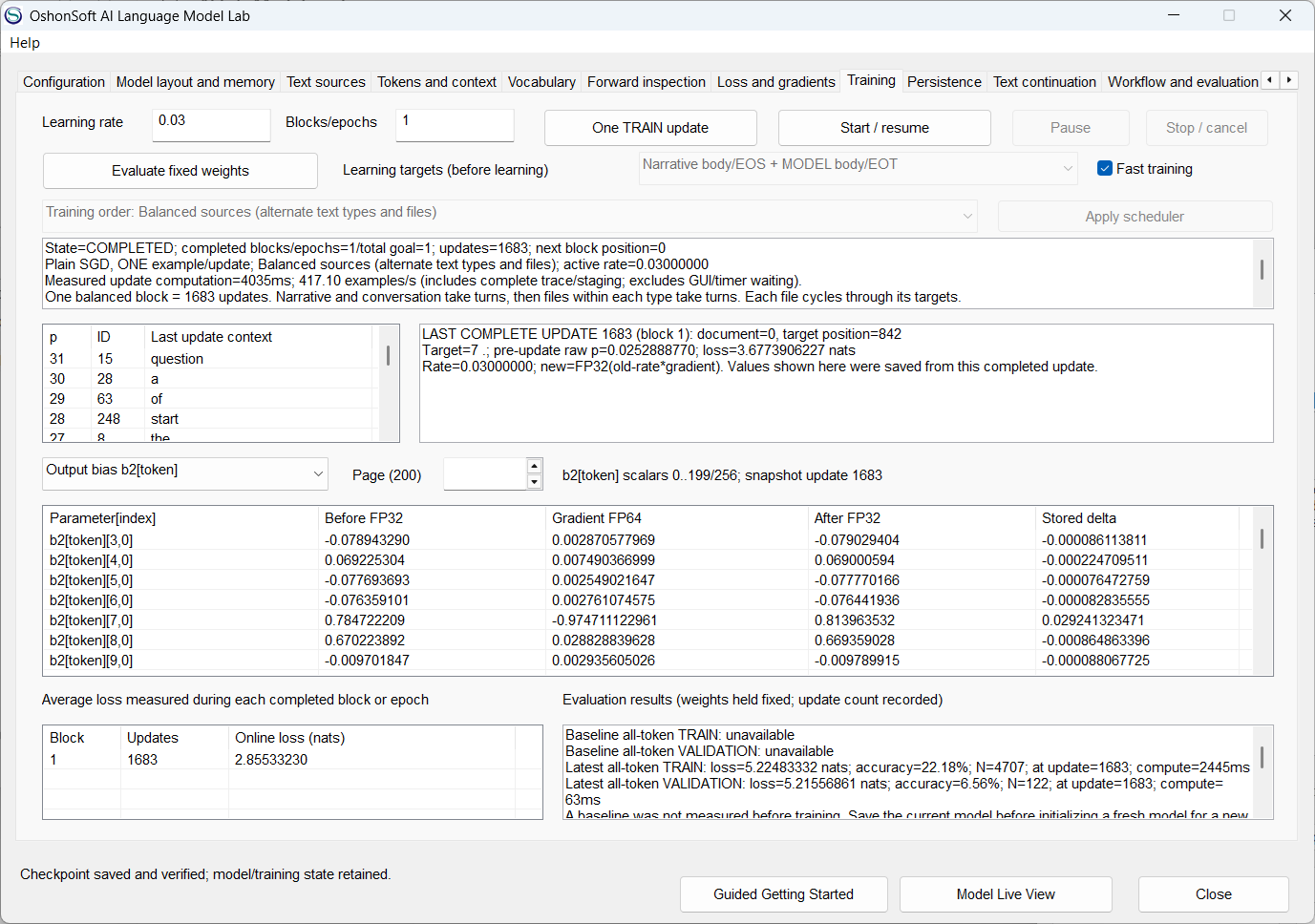
Controlled project: bounded updates, saved question replies and exact per-set results.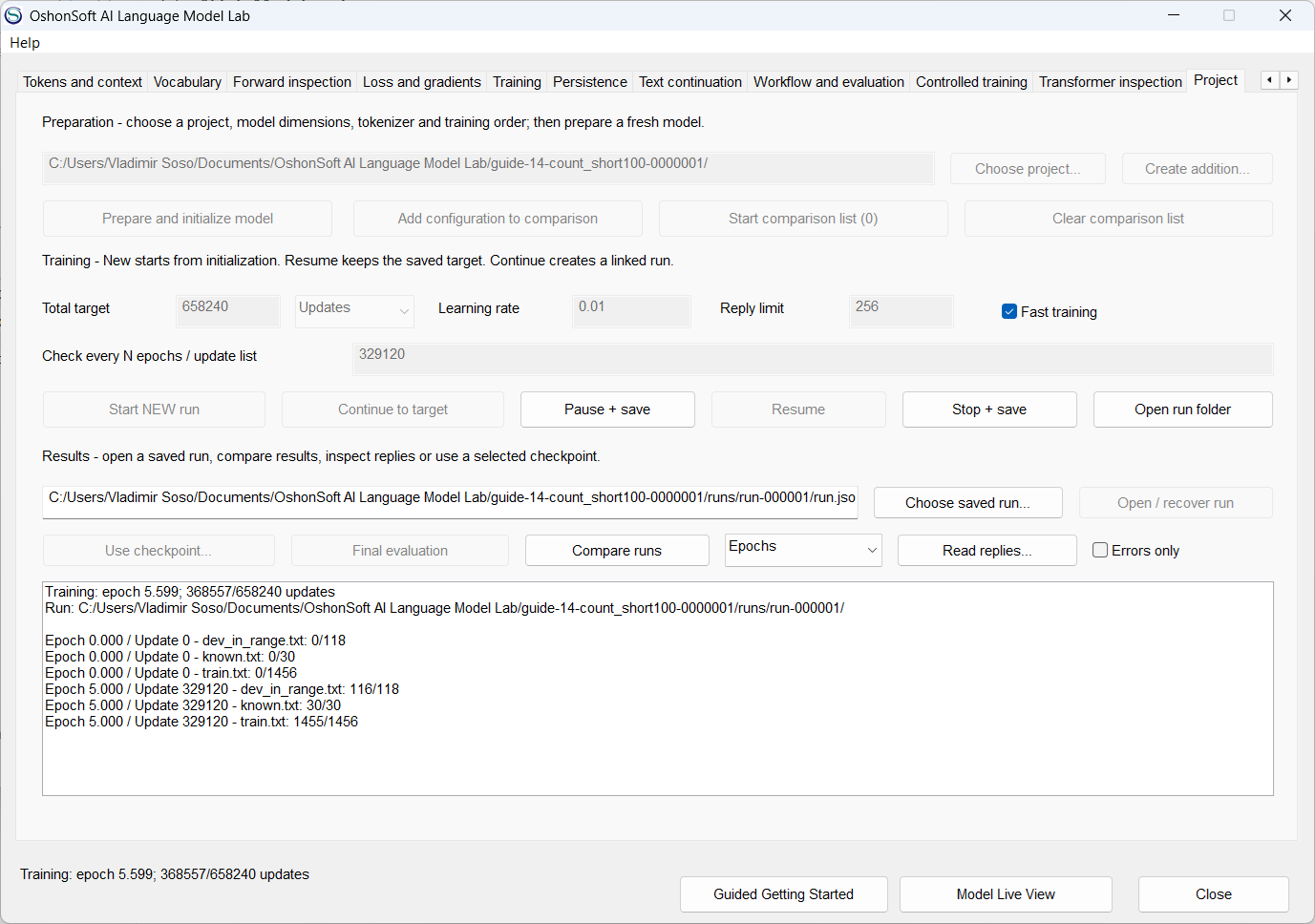
Conversation with its rolling context and sampling distribution.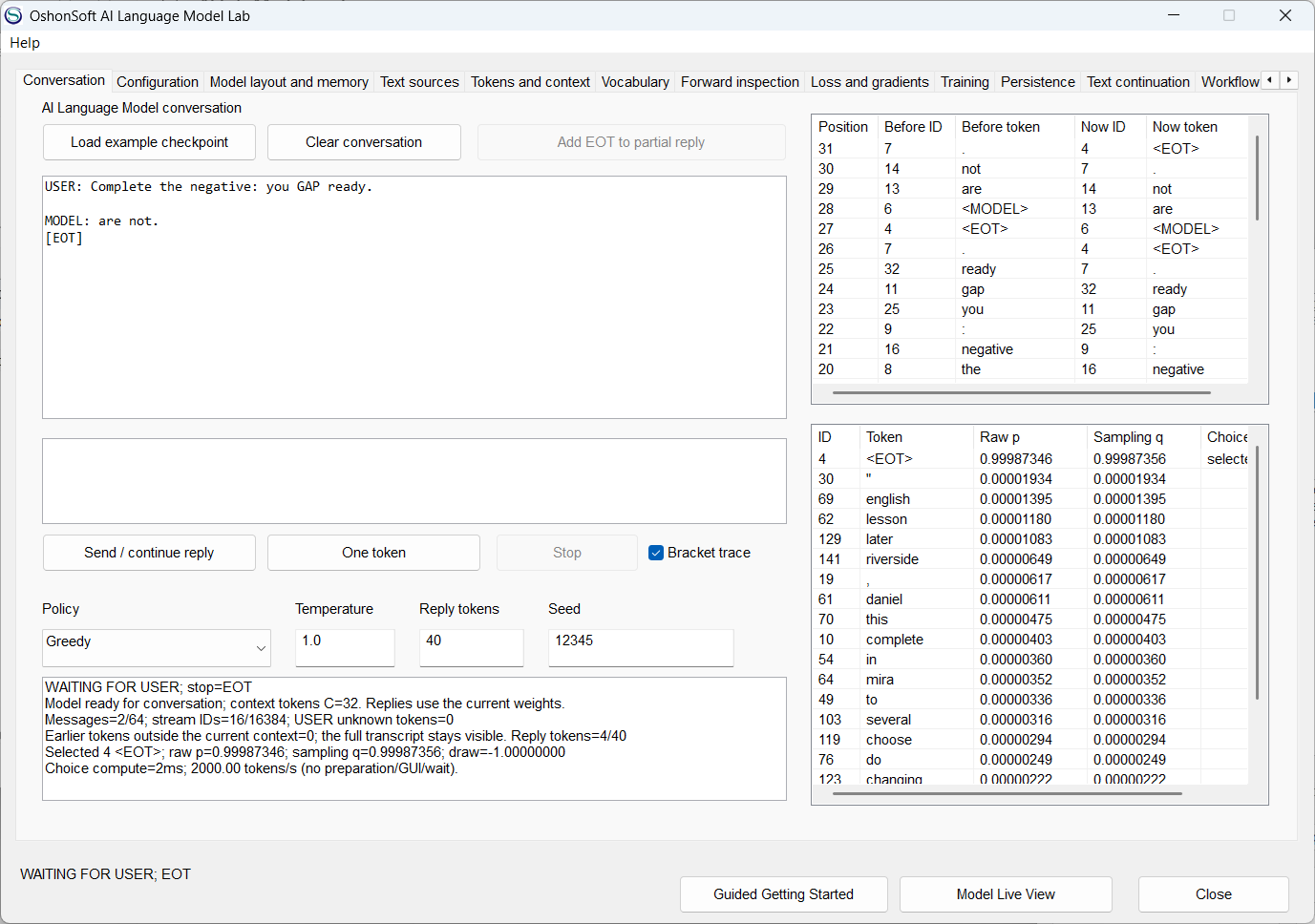
DOWNLOAD - USER MANUAL - LICENSES - CONTACT